
The Styling settings allow you to customize the appearance of the External Summary Buttons to match your website’s design.
To access the styling options, navigate to: Sumtics → Styling
You can customize the following settings:
- Button Style – Choose the preferred style for the AI summary buttons.
- Background Color – Set the default background color of the buttons.
- Hover Color – Choose the background color displayed when visitors hover over a button.
- Text Color – Customize the text color of the buttons.
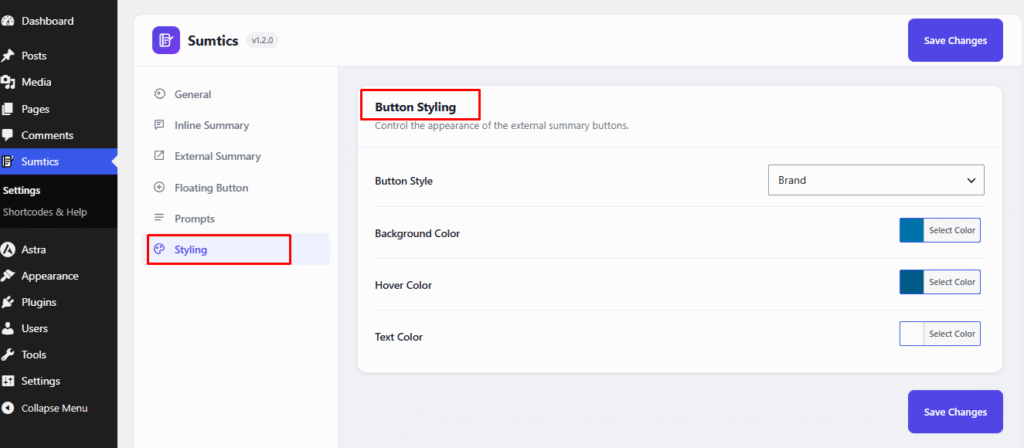
After making your changes, click Save Changes to apply the new button styling across your website.


