
The External Summary Buttons feature allows visitors to summarize your content using popular AI platforms such as ChatGPT, Gemini, Claude, Google AI, Grok, and Perplexity.
When a visitor clicks an AI button, the selected AI service opens in a new tab with a pre-filled prompt based on your configured prompt template.
To configure the External Summary Buttons, navigate to: Sumtics → External Summary
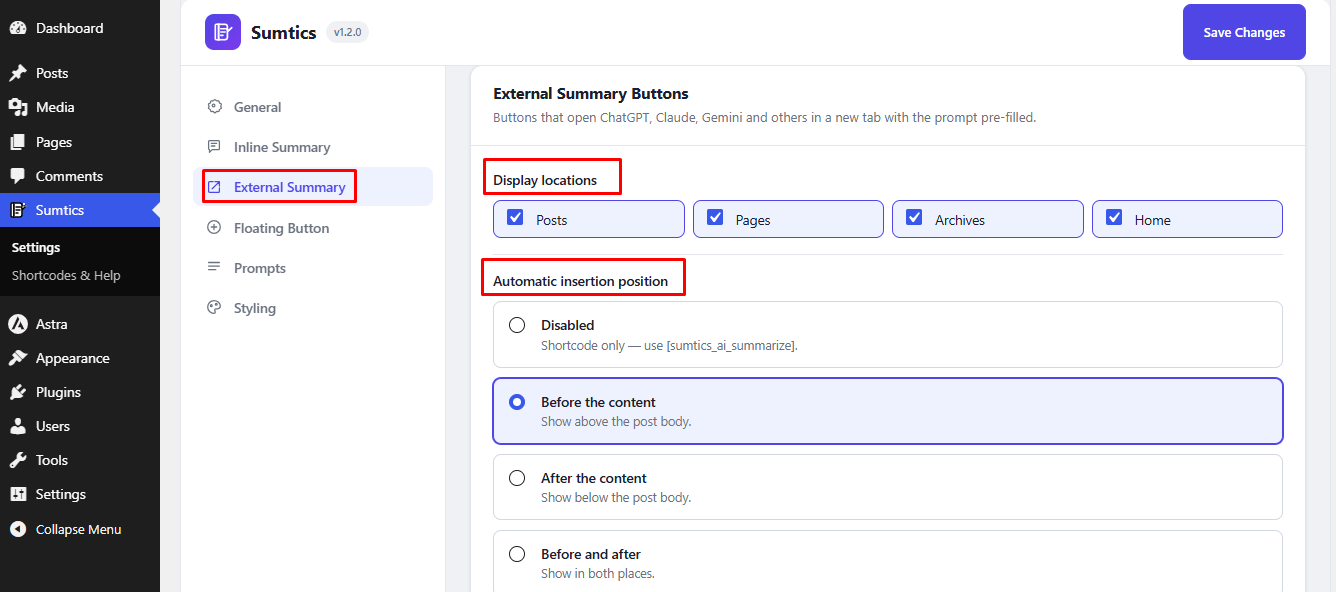
Choose the Display Locations #
First, select where you want the AI summary buttons to appear.
Available options include:
- Posts
- Pages
- Archives
- Home
You can enable one or multiple locations depending on where you want visitors to access the AI summary buttons.
Automatic Insertion Position #
Choose where the AI summary buttons should appear on your content.
- Disabled – Disable automatic placement and display the buttons manually using the
[sumtics_ai_summarize]shortcode. - Before the Content – Display the buttons above the content.
- After the Content – Display the buttons below the content.
- Before and After – Display the buttons both above and below the content.
You can also customize the Heading Text displayed above the buttons (default: Summarize with AI) and enable No Follow Links to add the rel="nofollow" attribute to all AI model links.
Select AI Models #
Choose which AI services you want to display as summary buttons on your website.
Currently supported AI services include:
- ChatGPT
- Gemini
- Claude
- Google AI
- Grok
- Perplexity
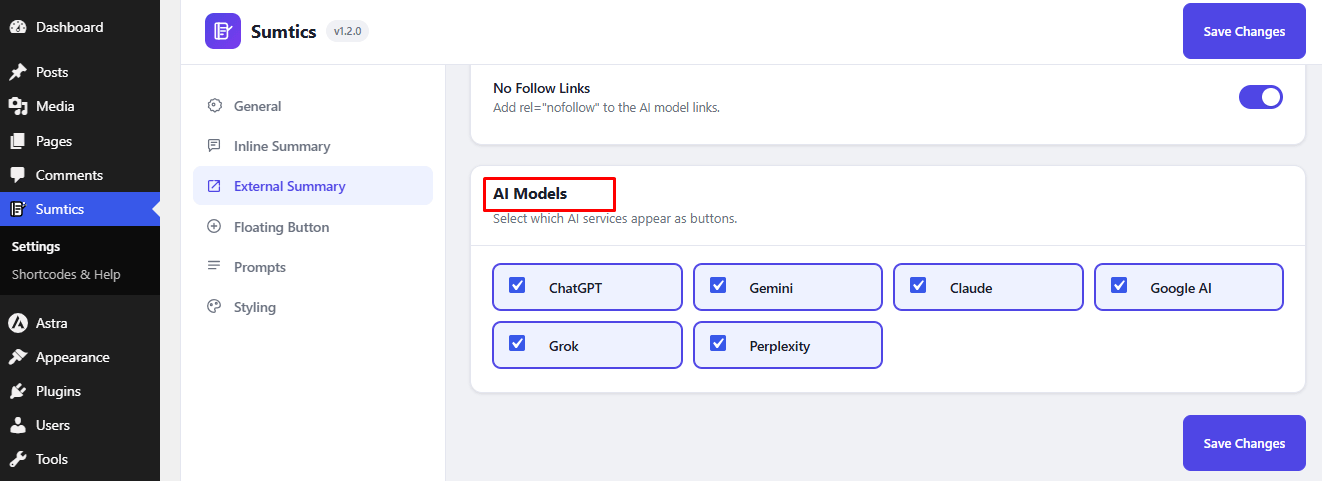
Only the selected AI models will appear as buttons on the frontend. After configuring the External Summary Buttons, click Save Changes to apply your settings.
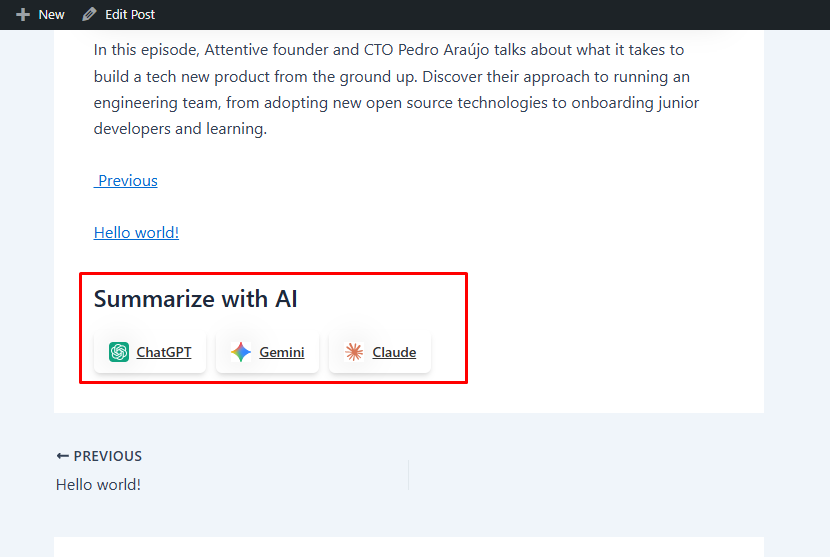
Visitors will now be able to open their preferred AI service and generate a summary of your content with a single click.
Front-end view: #
FAQs #
Q1. Which AI platforms are supported by the External Summary Buttons?
A: Sumtics currently supports ChatGPT, Gemini, Claude, Google AI, Grok, and Perplexity. You can choose which AI services to display as summary buttons.
Q2. Can I control where the AI summary buttons appear?
A: Yes. You can display the buttons on Posts, Pages, Archives, and the Home page. You can also choose to place them Before the Content, After the Content, Before and After, or disable automatic placement and use the [sumtics_ai_summarize] shortcode.
Q3. What happens when a visitor clicks an AI summary button?
A: The selected AI platform opens in a new browser tab with a pre-filled prompt based on your configured prompt template, allowing visitors to generate a summary of your content instantly.


