
Deposit Rules allow you to define how deposit payments work for your products. You can choose the deposit type, specify the deposit amount, and decide which products the rule should apply to.
Navigate to Deposit → Rules, then click Add New Rule.
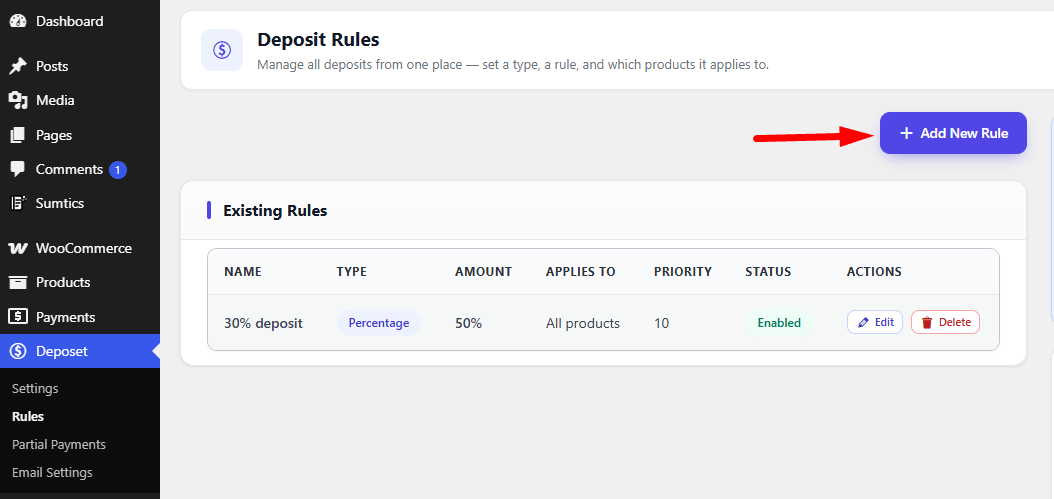
Configure the following settings to create a new deposit rule:
- Rule Name: Enter a descriptive name for the rule, such as 50% Deposit or Booking Deposit, to easily identify it later.
- Deposit Type: Choose how customers will pay for their purchase. The available options are:
- Percentage: Charge a percentage of the product price as the initial deposit.
- Fixed Amount: Charge a fixed amount regardless of the product price.
- Payment Plan (Installments): Split the total payment into multiple installments. Configure each installment by specifying the payment percentage and when it is due. The first installment is paid immediately during checkout, while the remaining installments are collected based on the selected intervals (for example, after 1 month). Ensure that the total percentage of all installments equals 100% before saving the payment plan.
- Force Deposit: Enable this option to require customers to pay using the deposit option only. When enabled, the full payment option will not be available during checkout.
- Default Selection: Choose which payment option is selected by default for customers. Customers can still change this selection unless Force Deposit is enabled.
- Applies To: Select where this deposit rule should be applied. For example, you can apply it to All Products or create rules for specific products or categories, depending on your configuration.
- Exclude Products: Optionally select products that should be excluded from this deposit rule.
- Priority: Set the rule priority. If multiple rules match the same product, the rule with the higher priority will be applied.
- Status: Enable the rule to make it active, or disable it if you want to save it without applying it.
Once you have configured all the required settings, click Add Rule to save the deposit rule.
Note: If multiple deposit rules apply to the same product, the rule with the highest priority takes precedence.


