
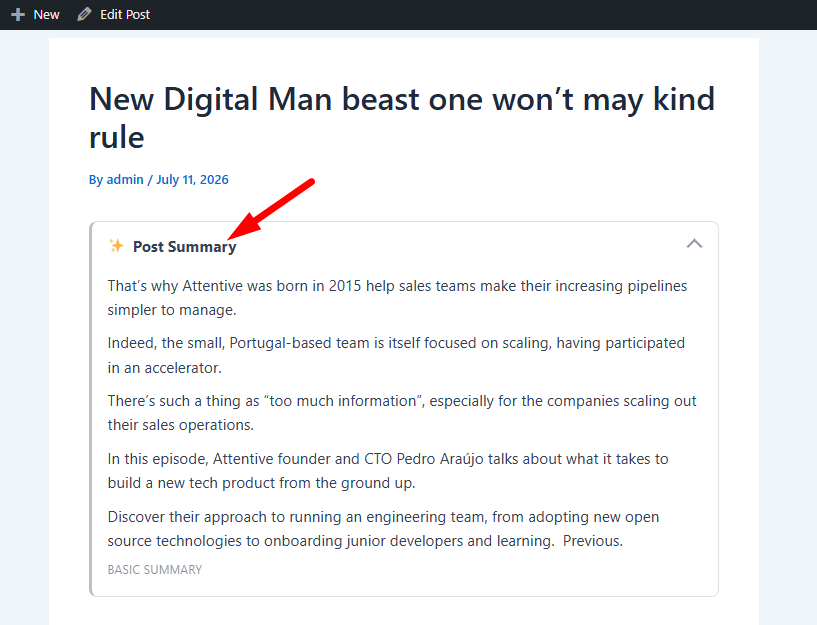
The Inline AI Summary feature automatically generates a concise TL;DR for your WordPress content and displays it directly within the post or page. This allows visitors to quickly grasp the main points of your content without reading the entire article or switching to an external AI service.
To configure the Inline AI Summary, navigate to: Sumtics → Inline Summary
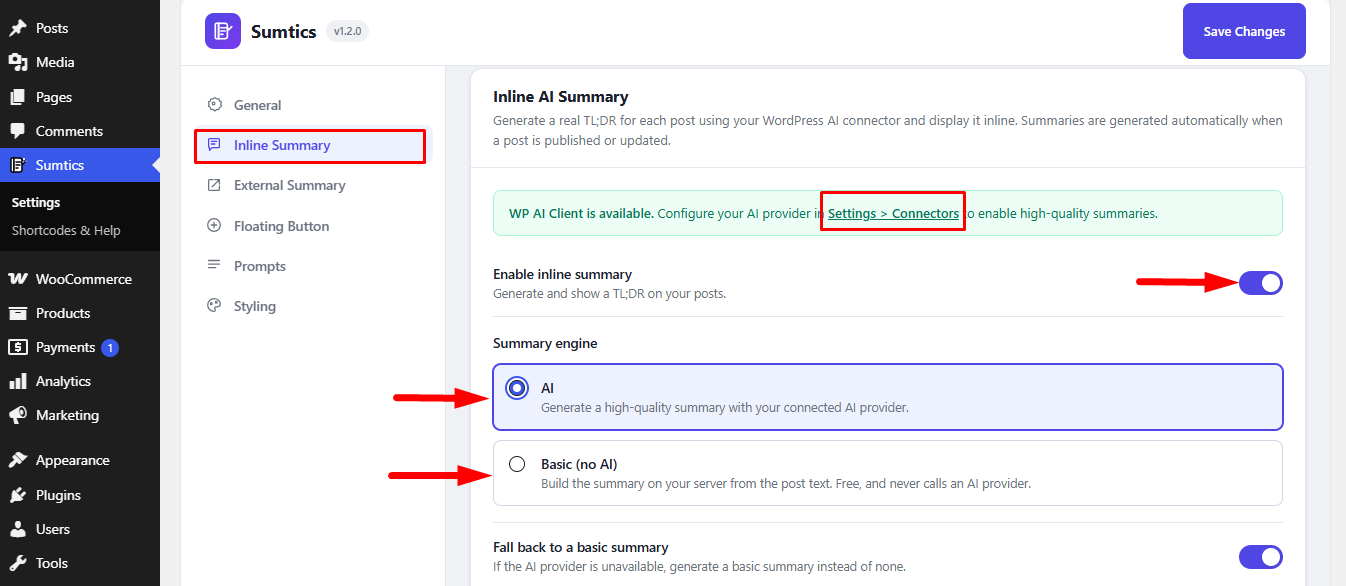
Enable the Inline AI Summary #
Enable the Enable Inline Summary option to start generating summaries automatically for newly published or updated content.
Note: Existing posts and pages won’t be summarized automatically. You can generate summaries for them manually from the Existing Posts section.
Choose a Summary Engine #
Sumtics supports two summary engines: Inline Summary. 1) AI and 2) Basic (No AI)
1. AI #
The AI engine generates high-quality, context-aware summaries using your connected AI provider. Before using this option, connect your AI provider by navigating to: Settings → Connectors
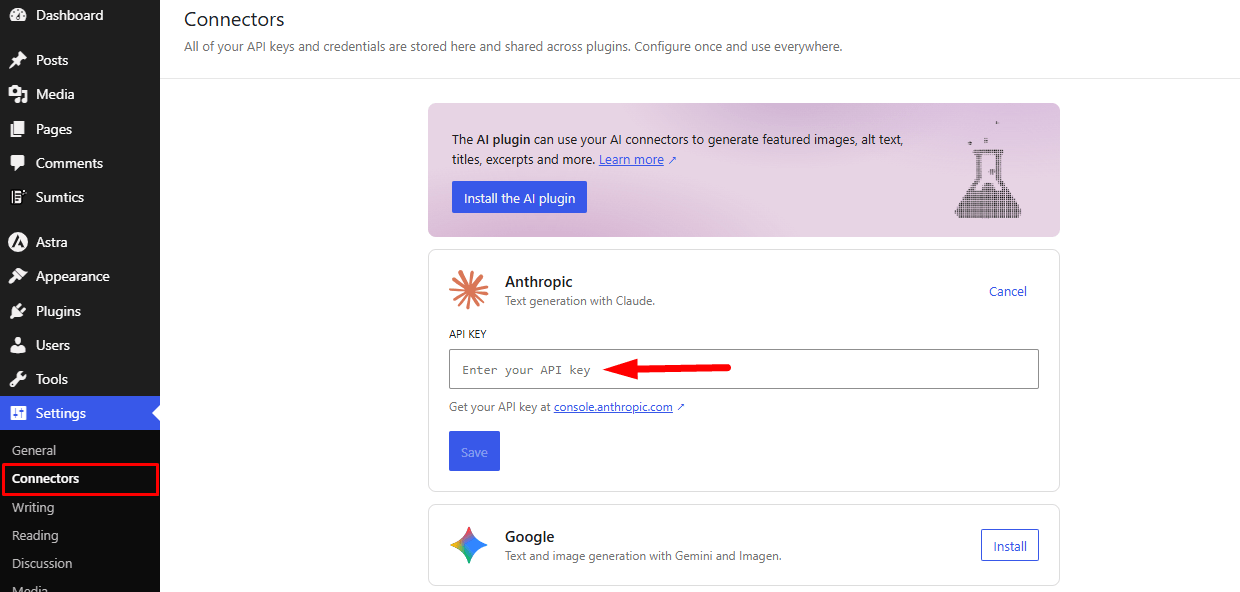
After adding your API key, select AI as the summary engine. You can also choose your preferred AI model or leave it set to Automatic (Recommended).
2. Basic (No AI) #
The Basic (No AI) engine creates summaries directly on your server without requiring an AI provider or API key.
This option is ideal if you want a simple, free summary solution or prefer not to use external AI services.
Choose the number of sentences (1–5) to control the length of the generated summary.
Display Settings #
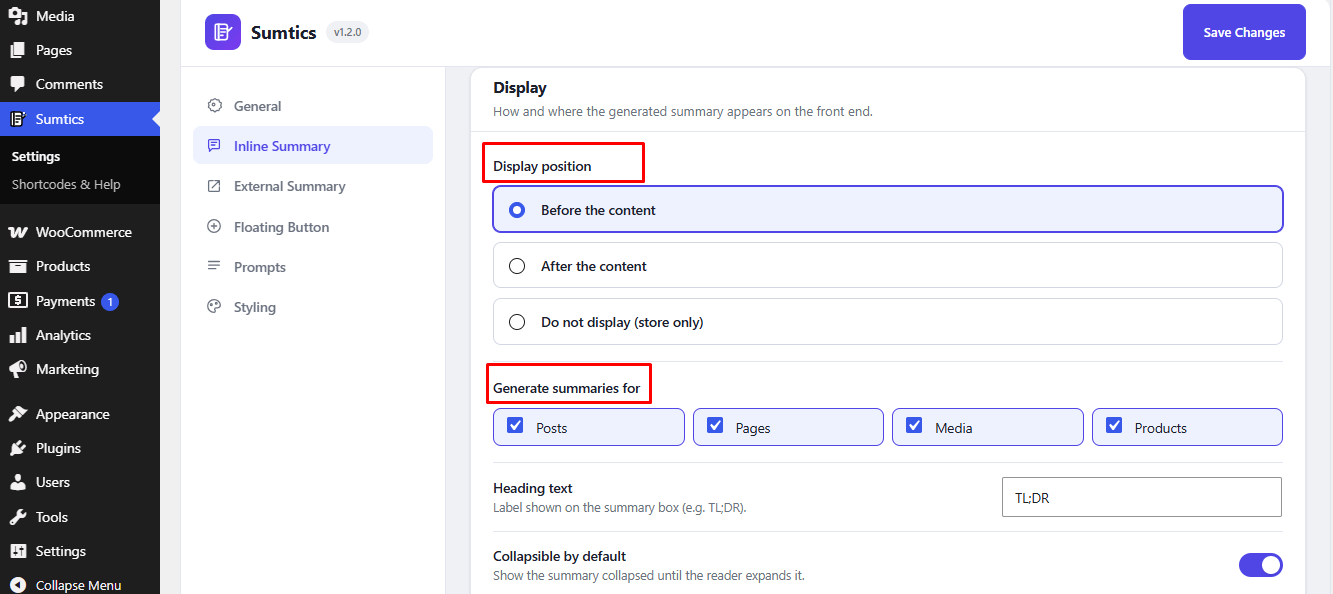
Customize how the summary appears on your website.
- Before the Content
- After the Content
- Do Not Display (Store Only)
Generate Summaries For #
Select the content types that should receive automatic summaries.
Available options include:
- Posts
- Pages
- Media
You can customize the heading displayed above the summary box (default: TL;DR) and enable the summary to remain collapsed until visitors choose to expand it.
Generate Summaries for Existing Posts #
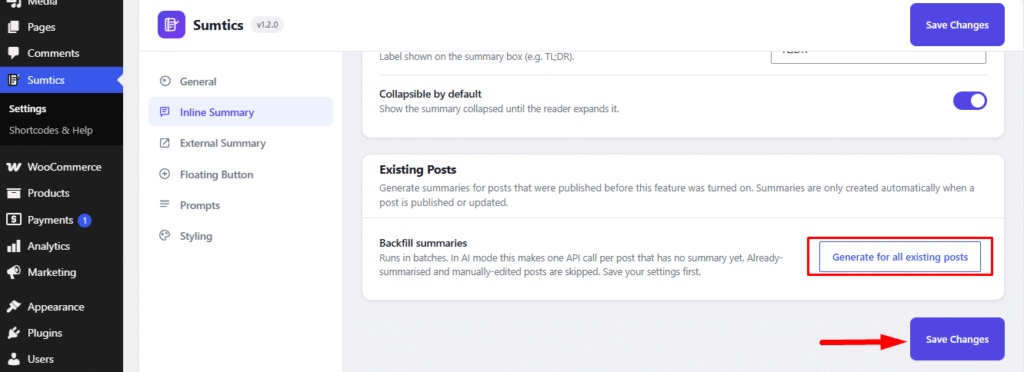
By default, Sumtics only generates summaries for newly published or updated content. To create summaries for posts or pages published before enabling this feature:
- Scroll to the Existing Posts section.
- Click Generate for All Existing Posts.
Sumtics will process your existing content in batches and generate summaries for posts that don’t already have one.
Note: Save your settings before starting the generation process.
Front-end view: #
FAQs #
Q1. Do I need an API key to use Inline AI Summary?
A: No. The AI engine requires a connected AI provider and API key, while the Basic (No AI) engine generates summaries locally without requiring an API key or external AI service.
Q2. Why aren’t my existing posts showing summaries?
A: By default, summaries are generated only for newly published. To generate summaries for older posts, go to the Existing Posts section, save your settings, and click Generate for All Existing Posts.
Q3. Can I choose where the summary is displayed?
A: Yes. You can display the summary Before the Content, After the Content, or choose Do Not Display (Store Only) to generate summaries without showing them on the front end.
Q4. Can I customize the summary heading and length?
A: Yes. You can change the summary heading (default: TL;DR). If you’re using the Basic (No AI) engine, you can also choose the summary length from 1–5 sentences.


