
Installing Sumtics is quick and easy. You can install the plugin directly from the official WordPress Plugin Directory without downloading any files manually.
Follow the steps below to install and activate Sumtics on your WordPress website.
Install Sumtics from the WP Plugin Directory #
- Log in to your WordPress Dashboard.
- Navigate to Plugins → Add New Plugin.
- In the search bar, type Sumtics.
- Locate the Sumtics plugin in the search results.
- Click Install Now.
- Once the installation is complete, click Activate.
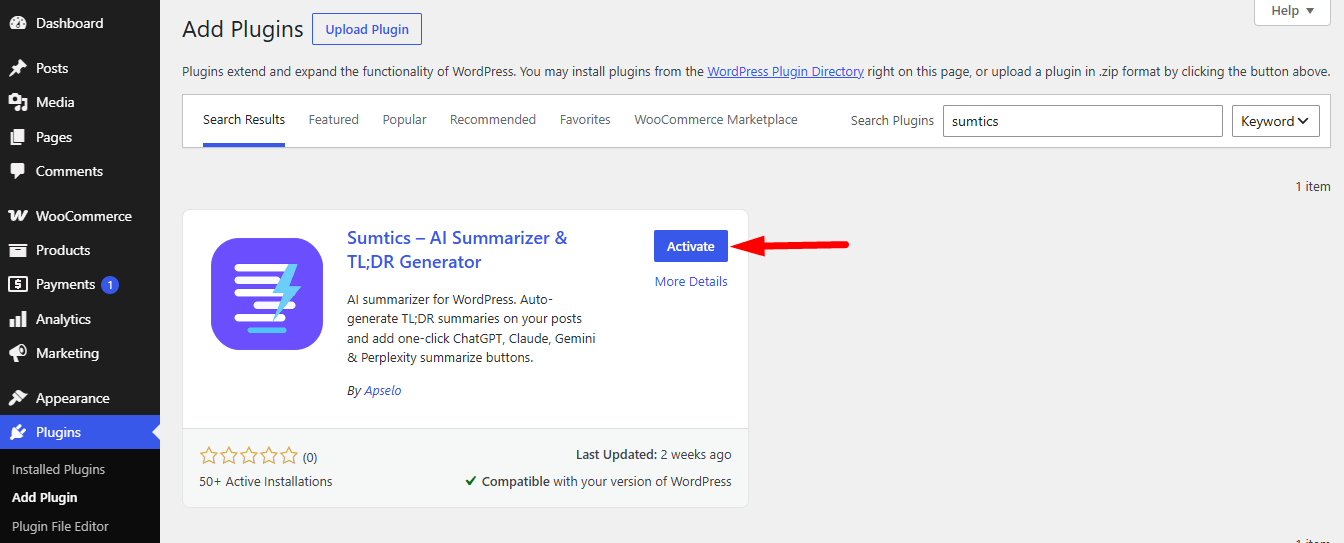
After activation, a new Sumtics menu will appear in your WordPress dashboard. From there, you can configure the plugin settings and start using its AI-powered summary features.


